krsambhav
TF Neo
Many users keep asking how to check which HSBC reward points came from which transaction, because the bank never shows point-wise breakup inside the HSBC app.
So here is a complete guide based on my experience.
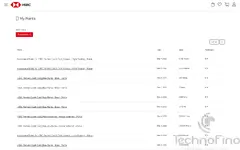
HSBC does not show point details in the mobile app, but the HSBC Rewards Portal shows a very detailed ledger:
– Transaction-wise points
– Accelerated category points (Hopper, hotel booking, flight booking)
– Base points
– Bonus points
– Negative adjustments, etc.
This is the only place where HSBC shows a proper, itemised ledger.
The portal normally refuses desktop login — but there is a workaround.
This makes browsing point transactions much easier.
The Hopper portal is mobile-only and does not load on desktop screens.
– Helps track accelerated points
– Helps verify Hopper bonus credit
– Shows exactly how many points were credited per transaction
– Useful for reconciling issues where HSBC credits/debits wrong points
So here is a complete guide based on my experience.
1. How to View Detailed Point Credit History (HSBC Rewards Portal)
HSBC does not show point details in the mobile app, but the HSBC Rewards Portal shows a very detailed ledger:
– Transaction-wise points
– Accelerated category points (Hopper, hotel booking, flight booking)
– Base points
– Bonus points
– Negative adjustments, etc.
Steps:
- Open HSBC Rewards Portal on mobile:
https://rewards.hsbc.co.in/ - Tap the left hamburger menu.
- Go to My Account → My Points.
- Here you can see every point credit/debit entry with date, memo, and source (e.g., Hopper flight booking, hotel booking, base points, welcome bonus, etc.)
This is the only place where HSBC shows a proper, itemised ledger.
2. Trick to Access HSBC Rewards Portal on Desktop (PC Browser)
The portal normally refuses desktop login — but there is a workaround.
Steps to enable PC login:
- On your mobile, go to the same Rewards Portal.
- Tap the user icon on top-right → My Account → Edit Profile.
- Add/update your email address.
- Now, on your desktop browser, open:
https://rewards.hsbc.co.in/ - Click Forgot Password, enter the same email, reset your password.
- After setting the new password, you can log in normally on PC.
This makes browsing point transactions much easier.
3. Hopper Portal (travel.hsbc.co.in) Won’t Open on PC — Fix
The Hopper portal is mobile-only and does not load on desktop screens.
Workaround:
- Open your browser → Inspect Element (F12).
- Switch to Mobile View / Responsive Mode.
- Now open:
https://travel.hsbc.co.in/ - It will load perfectly, and you can access all Hopper bookings.
4. Why This Matters
– Helps track accelerated points
– Helps verify Hopper bonus credit
– Shows exactly how many points were credited per transaction
– Useful for reconciling issues where HSBC credits/debits wrong points
Attachments